Guides5 minute read
Which AI model to use for which task
There is no single best model. There is a better model for the job in front of you, and the useful skill is knowing when to change.
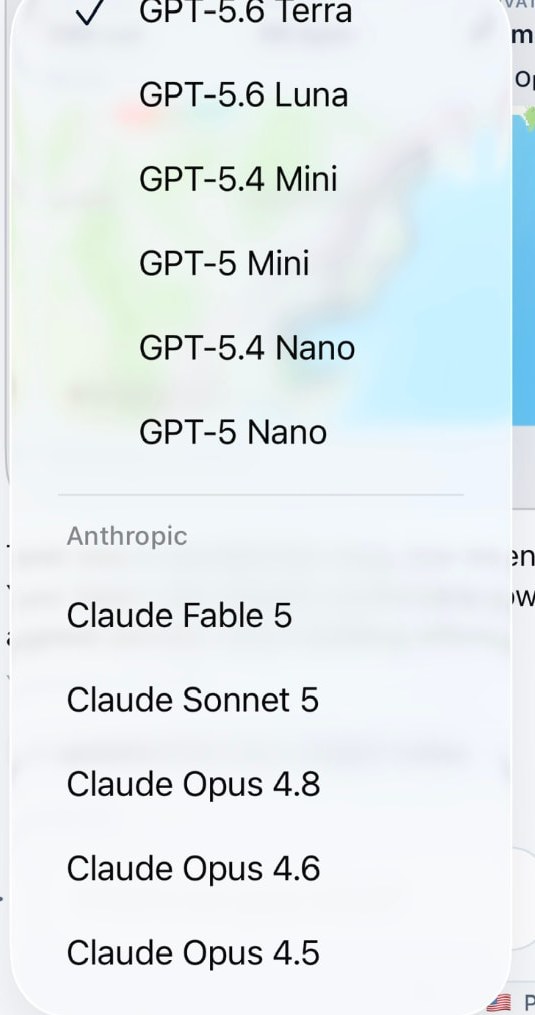
Match the model to the job
People ask which model is best. A more useful question is what the task needs. Reading a long document, drafting a short reply and thinking carefully through a decision put very different demands on a model.
In Souvéa the selected model sits next to the conversation, so you can see what answered you and change it when the task changes.
- Long documents and transcripts: a model with a large context window
- Quick drafting and reformulation: a fast model, because speed matters more than depth
- Careful reasoning and planning: a reasoning model, even when it takes longer
- Everyday questions about your own information: whatever you already trust for ordinary language
Switching should cost you nothing
In most services your history belongs to the model you started with. Leaving means leaving your context behind, so people stay with a model long after it stopped being the right one.
Souvéa keeps your context with you. The model comes to it. When you change model, what you connected is still there and still usable.
The second question most people miss
A model name is only half the picture. The other half is the country or region where your request is processed. Souvéa shows both, and where a provider supports it you can change either one. Processing countries today include the United States, Canada, Switzerland, Sweden, Germany, Belgium and the Netherlands.
Availability varies by model, provider and region. You can also connect your own provider keys where that is supported.
How to decide in practice
Try one task with the model you normally use, then repeat it with a different one and compare the answers. Two attempts tell you more than any comparison table.
- Pick one real task
- Run it with two models
- Keep the one that suits the work, and change again when the work changes